What Bates numbering is for
When documents are produced in litigation, in a regulatory response, or in any process where multiple parties will refer to the same pages, each page needs an identifier that is unique across the entire production and never changes.
Page numbers cannot do this. Every document in a production starts at page one, so "page 4" is ambiguous across a set of two hundred documents. Bates numbers run continuously across the whole production, so ACME-000417 refers to exactly one page, permanently, and everyone in the matter can point at it without further explanation.
The name comes from the Bates Manufacturing Company, whose self-incrementing hand stamp made this practical long before anyone was doing it in software. The convention has outlived the stamp.
Applying Bates numbers
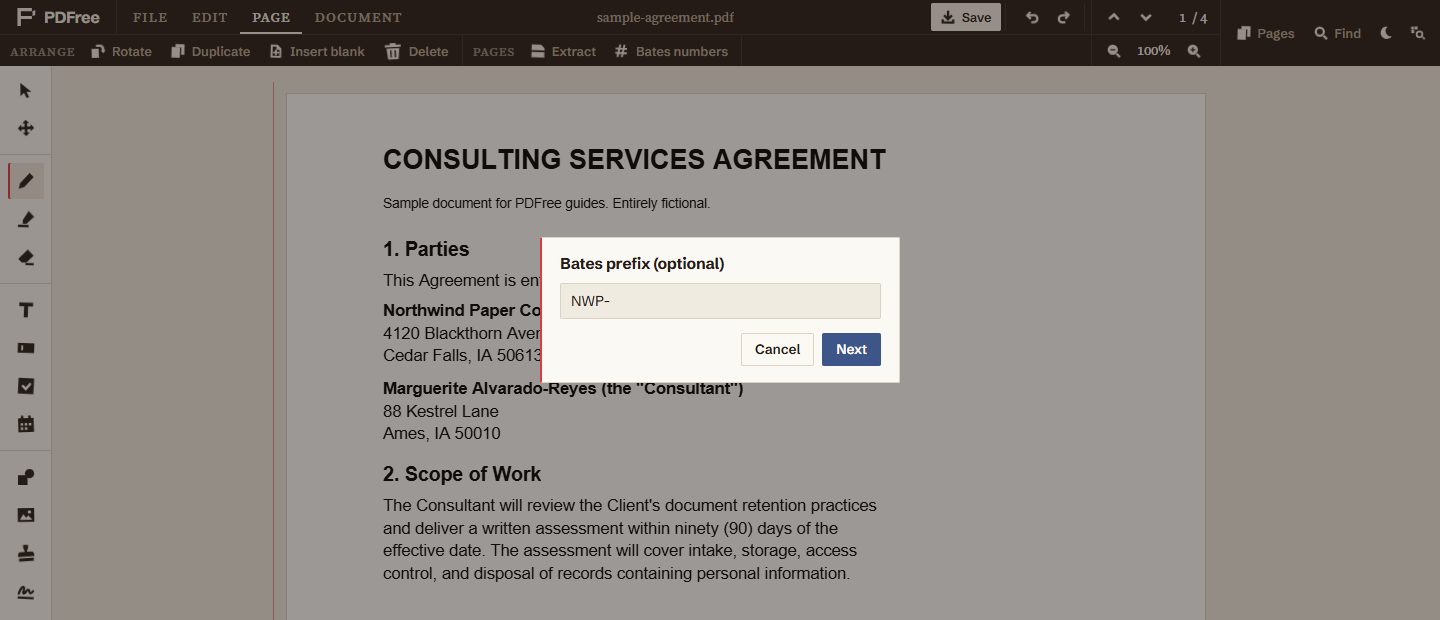
You are asked three questions in sequence, then numbering is applied to every page in the document.
- Open the Page tab and choose Bates numbersIt sits with the page operations at the top of the editor, rather than with the annotation tools down the left.
- Enter a prefix, or leave it blankSomething like
ACME-. Include the trailing separator yourself; the prefix is joined to the number exactly as you type it. - Enter the starting numberDefaults to 1. For the second document in a production, this is where you continue from where the previous one ended.
- Enter the number of digitsDefaults to 6, which gives ACME-000001. Accepts 1 through 12.
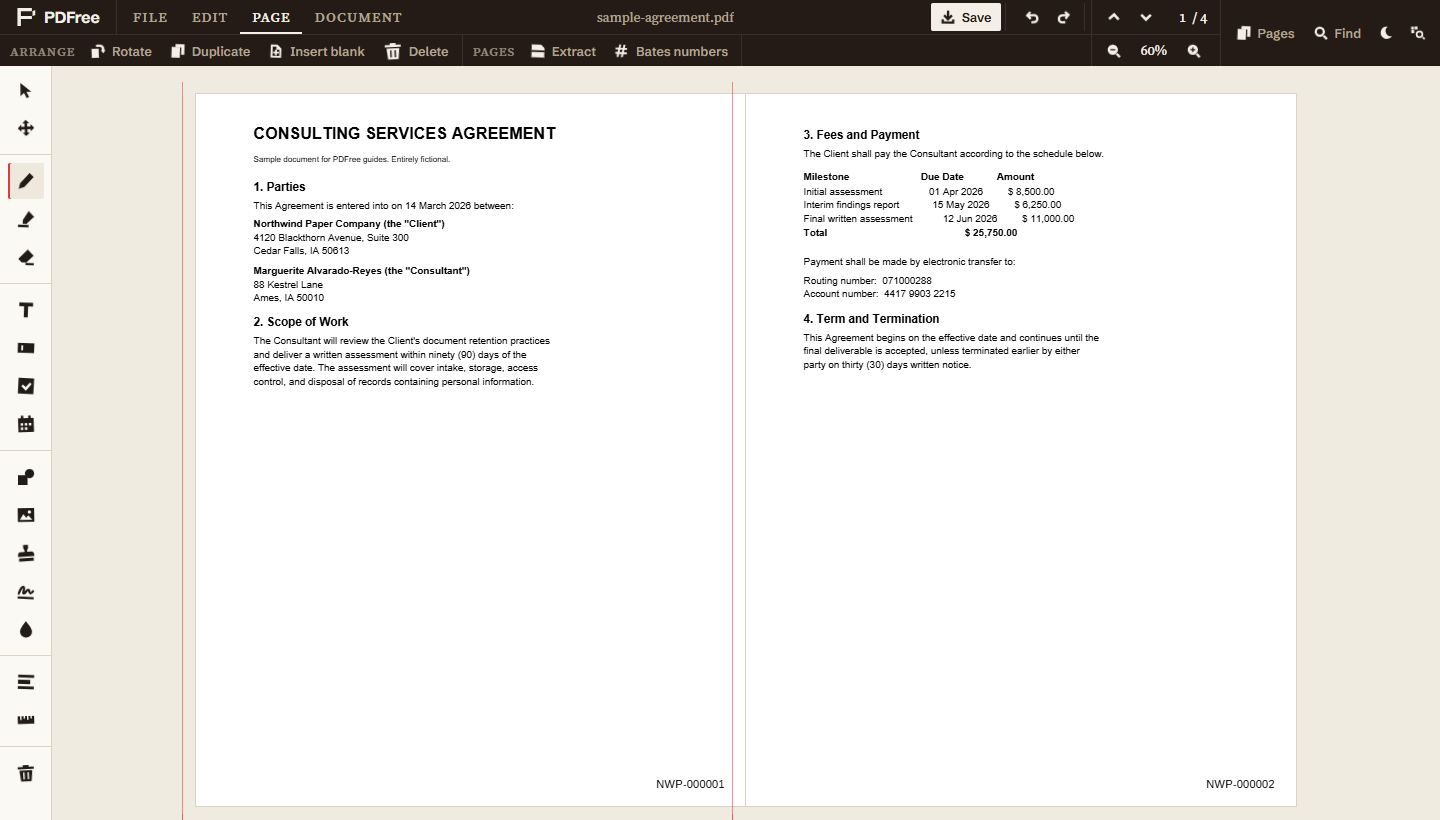
Numbers are placed in the bottom right corner of every page, scaled relative to the page height so they stay proportionate on mixed page sizes, and applied sequentially from your starting number through to the last page.
Choosing a prefix and padding
Both decisions are hard to change later, so it is worth thirty seconds of thought.
The prefix should identify the producing party and stay constant across the whole production. Use something short and unambiguous. If a matter number is required by a protective order or a court's local rules, follow that instead of inventing your own scheme.
The padding should comfortably exceed the largest number you expect to reach. Six digits handles just under a million pages and is the common default for good reason. Under-pad and you get sorting problems the moment the number of digits changes: a plain alphabetical sort puts ACME-100 before ACME-99, which will eventually confuse a review platform or a colleague. Six digits costs nothing and removes the question.
Do this last
Bates numbers are assigned by page position. If you add, remove, or reorder pages after numbering, the numbers no longer match the sequence and you have a production where the identifiers are wrong. Renumbering fixes the file, but not any reference to the old numbers that has already left your office.
The correct order is: assemble the document, merge in anything that belongs with it, remove what should not be produced, apply redactions, confirm the page count is final, and only then apply Bates numbers. Treat numbering as the seal on a finished document.
Redaction specifically must come first. Redacting a page rebuilds it as a flattened image on save, and you want the Bates number applied to the final version of the page, not to a version that is about to be reconstructed.
Adjusting after the fact
Each Bates number is added as an ordinary text object on its page rather than being burned in immediately, which has two useful consequences before you save.
The whole operation is undoable, so if you get the prefix wrong you can undo and reapply rather than reopening the document. And an individual number can be moved or deleted if it lands somewhere unfortunate, for example on top of existing footer text on one particular page. Nudge that one and leave the rest alone.
Once you save, the numbers are part of the pages. That is the intent: a Bates number that can be removed by the recipient defeats the purpose of having one. They are saved as real text, so whoever receives the production can search it for a number such as NWP-000042 and land on that page.
What it does not do
A Bates number is an identifier and nothing more. Two things it is commonly confused with:
- It is not a confidentiality designation. Markings such as CONFIDENTIAL or ATTORNEYS EYES ONLY required by a protective order are separate, and go on as their own stamp or watermark. Numbering a page does not designate it.
- It is not a restart-per-document scheme. Numbering runs continuously across whatever document is open. To produce several documents in one continuous sequence, note the last number used and set the next document's starting number to follow it.